|
| About Excentro |
|
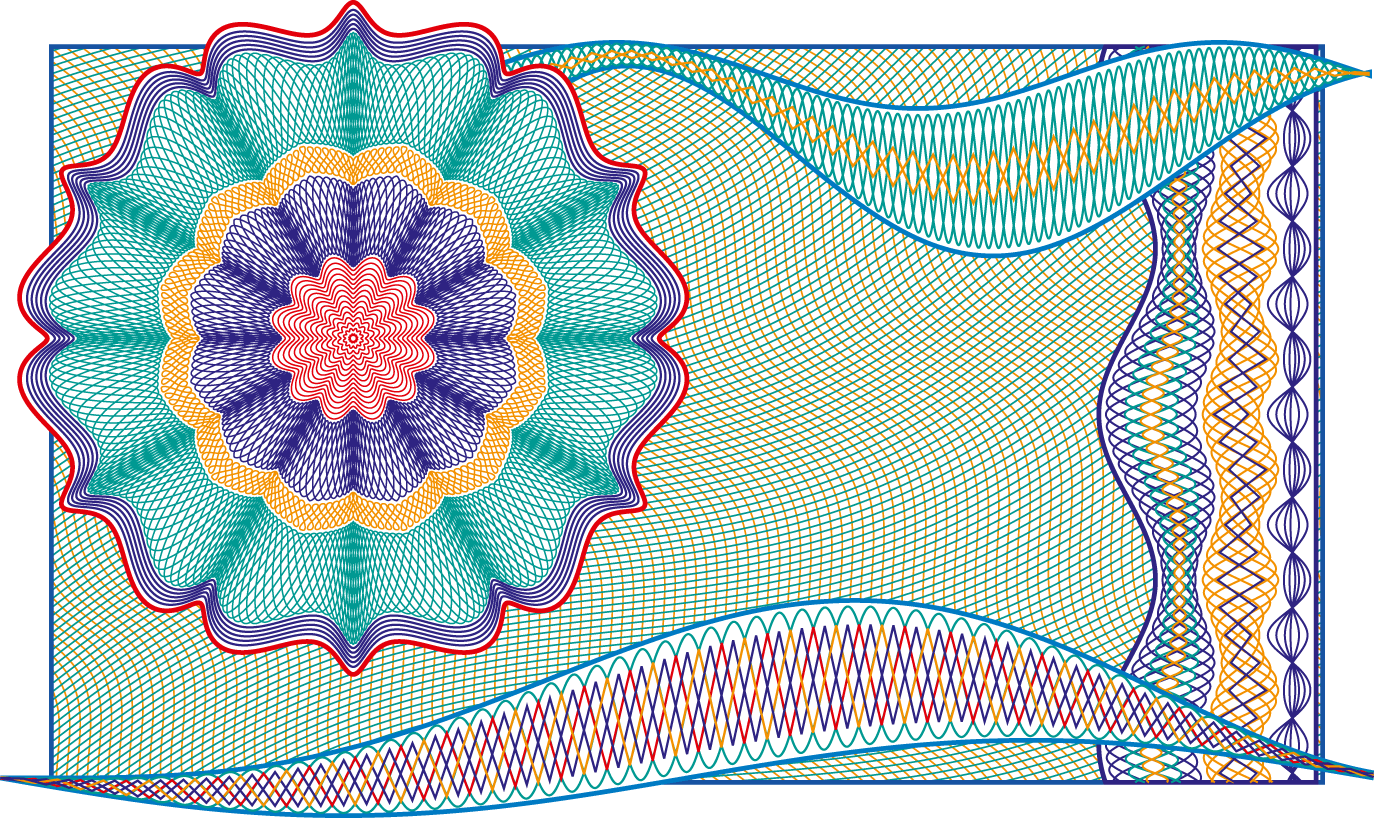
Excentro is a simple but advanced tool that can create guilloche designs like backgrounds, borders or rosettes.
The guilloches are vintage design elements that were frequently used for anti-counterfeiting security purposes on banknotes, passports, checks and certificates during the past two hundred years. As the times changed and digital copy and printing technologies perfected, guilloches no longer presented sufficient security measures that could prevent forging and counterfeiting of valuable papers. Today the main part of security technology lies in the special paper or tricky inks the designs are printed upon or with.
Still, it is too early to say that the days of guilloche designs are over. They can still be used to prevent the counterfeiting of products that do not require the highest level of security (i.e. theater tickets, diplomas or gift certificates). Or, they can just be used to decorate and add some aesthetic value to a product giving the ‘money-like’ look and value.
Excentro was originally started in the early 90's as a solution for the emerging security printing market of the former Soviet Union states. New promising economy situations asked for a simple, yet not very expensive solution that runs on an industry standard graphic arts platform and can produce the sort of patterns similar to what could be done on mechanical guilloche devices employed by government banknote printing plants. Since then it went through several major updates and features overhauls…
|
| Excentro Features |
|
1. Excentro interface
Each document in Excentro has three distinct areas to display: ‘Preview’, ‘Structure’ and ‘Layers’.
‘Preview’ and ‘Layers’ are similar to the windows of other graphic design applications: ‘Preview’ displays guilloche graphics with the magnifications specified, ‘Layers’ shows back-to-front order of paths and allows the designer to arrange which objects are below or above.
The ‘Structure’ area is the key highlight of Excentro. It illustrates the process of guilloche construction with graphic objects presented as interconnected ‘bases’ and ‘elements’.
2. Fast guilloche creation
With Excentro you can create all popular kind of guilloches: backgrounds, bands, frames, rosettes. The underlying principle is similar to that of mechanical guilloche machines from the past and is based on the ‘movement’ of drawing an ‘object’ over a path created in a similar way in previous steps.
Using Excentro requires some hands-on learning and browsing through the user guide and other reference materials. After becoming familiar with Excentro you will find it quite easy and even fun to work with…
3. Versatile step & repeat sets
(Step & repeat sets in Excentro Lite version are limited to single ‘Step & Repeat’ set per design object and have only one ‘Constant’ type of increment.)
Excentro allows you to duplicate its graphic objects any number of times with the individual attributes of the objects modified by user defined values.
With this ‘Step & Repeat’ feature, you can create intricate guilloche designs in almost no time with few mouse clicks and keystrokes. If the design needs to be modified or reworked later, you can just change several attributes of existing objects and their ‘Step & Repeat’ sets to get a design that looks different.
4. Automatic frames and tiles
(These features are only present in full Excentro version and are not available in Excentro Lite.)
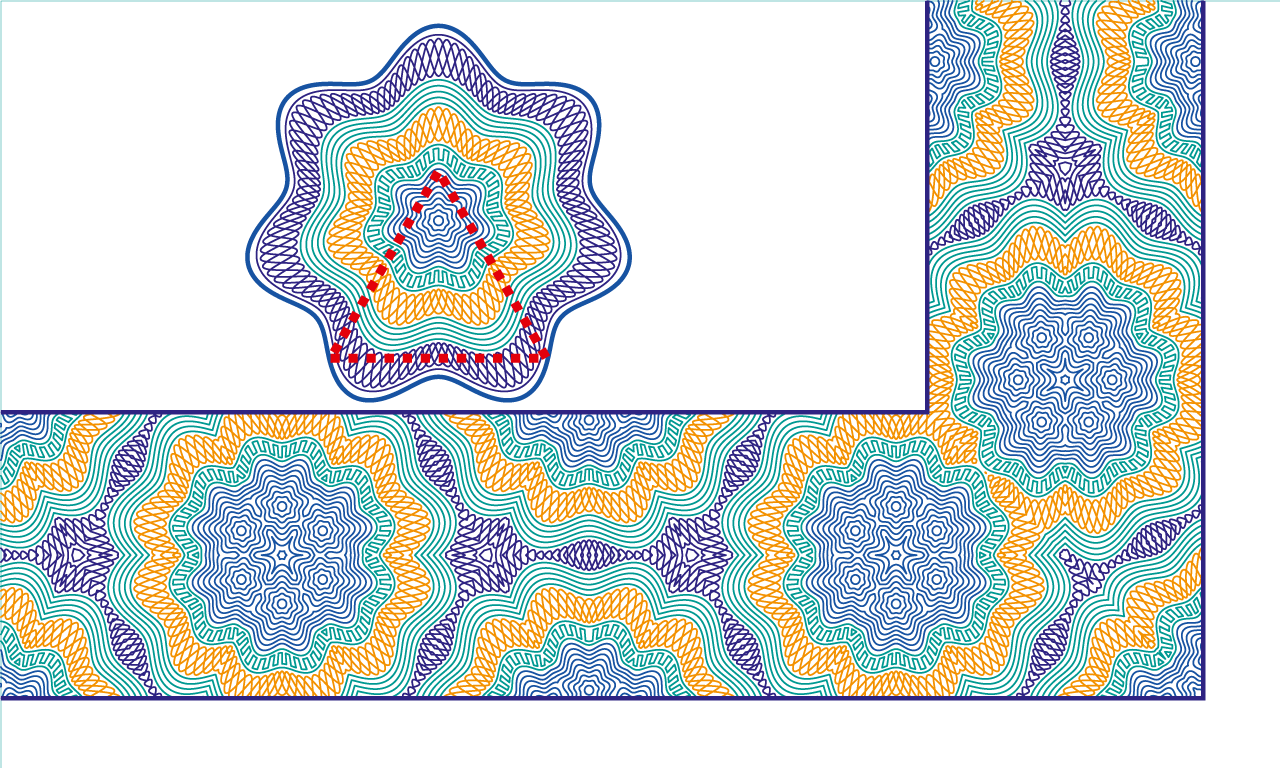
Excentro can cut a part of the existing design, then reflect and repeat this part to create complex borders or backgrounds with symmetrical patterns. You can even automatically create a complete rectangular frame for a certificate or diploma in this way.
Adjacent path segments and corners are accurately joined and stitched together to create continuous paths without overlapping line caps. This feature can also be used to crop a background or a border to certain area.
5. Stroke width modulation and reliefs
(These features are only present in full Excentro version and are not available in Excentro Lite.)
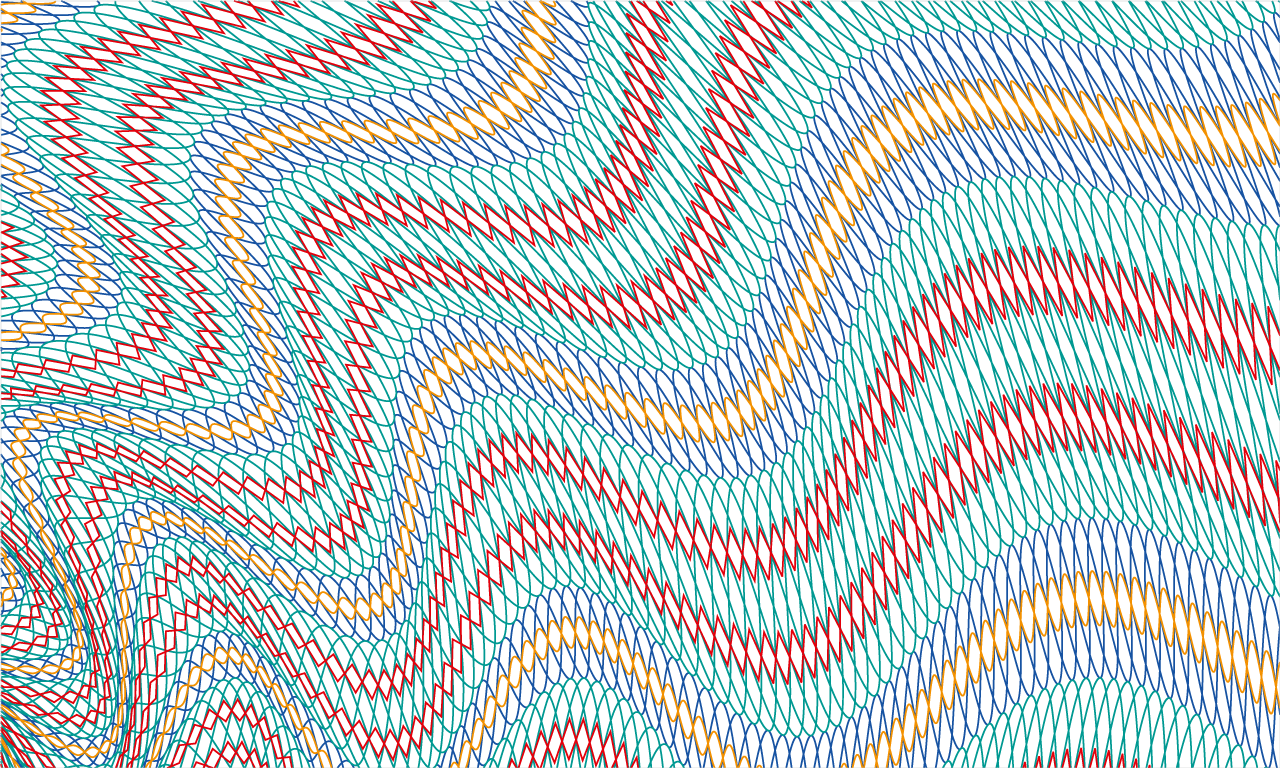
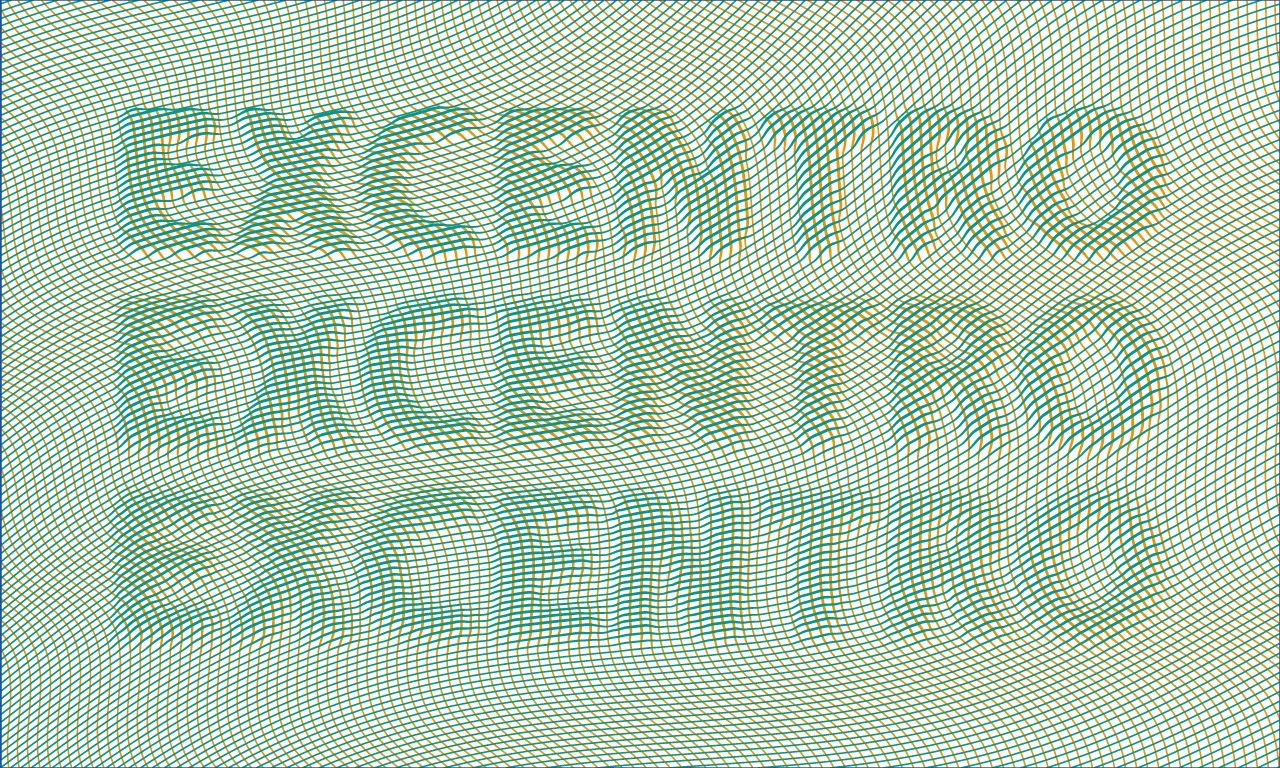
The stroke width of background paths can be changed by either modulation settings specified by the user or by the pixel value of the underlying grayscale image. In the similar way portions of paths located over non-white areas of the underlying image can be offset to create bas-relief like effects.
Any graphics file in common image formats (raster TIFF or vector PDF) can be imported into an Excentro document to be used with this feature. You can even apply Step & Repeat sets to the images to vary its position, size, brightness or contrast.
6. Export after you finished
When a guilloche work in Excentro is over you can export the finished design in generic PDF, Adobe Illustrator format or create a preview in TIFF, JPEG or PNG.
A PDF file can be directly printed or placed into a page layout application. An Illustrator file can be opened in the Adobe Illustrator application to add some effects. Excentro layers and document settings are fully transferred to this format. Preview image files can be sent to customers for design approval or placed into web pages.
You can download this information as a printable data-sheet in PDF-format.
It contains full resolution vector artworks (with all them borders and backgrounds) that might serve as an illustration of what typical Excentro output may look like.
 Excentro Data Sheet (PDF: 17.1 MB) Excentro Data Sheet (PDF: 17.1 MB)
|
| Download Excentro & Excentro Lite |
|
Excentro is available in two versions made for different user groups with different feature sets and price preferences:
1. Excentro:
Excentro, or the full application version, is geared to professional graphic artists who make designs for security papers, certificates, packaging or even plastic cards. This version has all the features mentioned above.
To download full version of Excentro use the link below:
 excentro205.dmg (Version 2.0.5, 14 MB, Disk Image) excentro205.dmg (Version 2.0.5, 14 MB, Disk Image)
System requirements: Apple Macintosh with OS X 10.9 (‘Mavericks’), OS X 10.10 (‘Yosemite’), OS X 10.11 (‘El Capitan’), macOS 10.12 (‘Sierra’), macOS 10.13 (‘High Sierra’), macOS 10.14 (‘Mojave’), macOS 10.15 (‘Catalina’), macOS 11 (‘Big Sur’), macOS 12 (‘Monterey’), macOS 13 (‘Ventura’) or macOS 14 (‘Sonoma’). Internet connection is required for software activation.
Details: This is Mac OS disk image (DMG) created with Disk Utility application. If you are using non-Macintosh computer to access internet resources, download the file and transfer it to your Mac.
Recent versions changes:
- 2.0.5 (January 8, 2024)
- 2.0.4 (October 18, 2023)
- Some UI fixes that were required for macOS 14 (‘Sonoma’) compatibility
- 2.0.3 (March 22, 2022)
- Minor fixes and enhancements.
- 2.0.2 (January 22, 2022)
- Minor fixes and enhancements.
- 2.0.1 (March 24, 2021)
- Adds native support for ‘Apple Silicon’ Macs
- 2.0 (October 27, 2020)
- Major internal changes and minor features updates
- ‘Dark Mode’ is supported under macOS 10.14 (‘Mojave’) and above
- Some fixes that were required for macOS 11 (‘Big Sur’) compatibility
- New minimal system requirements: OS X 10.9 or above
- 1.9.26 (December 10, 2017)
- Addition of ‘Clipping Masks’ and ‘Clipping Stroke Masks’ as a convenience feature.
- Images for ‘bas-relief’ effect can now be individually selected.
- Users who purchased Excentro license before October 1, 2013 may need to update their license serial numbers. This update is free: please send your requests to info@excourse.com.
- 1.9.25 (November 27, 2017)
- Minor fixes and enhancements.
- 1.9.24 (October 6, 2017)
- Stability fixes for macOS 10.13 (‘High Sierra’).
- 1.9.23 (September 1, 2017)
- Minor UI fixes and enhancements.
- 1.9.22 (May 31, 2017)
- Minor UI fixes and enhancements.
- 1.9.21 (April 25, 2017)
- Minor UI fixes and enhancements.
- 1.9.20 (September 30, 2016)
- Minor fixes to the application package and UI for smoother experience under macOS 10.12 (‘Sierra’).
- 1.9.19 (July 26, 2016)
- Minor fixes and enhancements.
- 1.9.18 (July 2, 2015)
- Minor fixes and enhancements.
- 1.9.17 (May 6, 2015)
- Minor fixes and enhancements.
- 1.9.16 (March 18, 2015)
- Minor fixes and enhancements.
- 1.9.15 (November 10, 2014)
- Fixes issue with text rotation.
- 1.9.14 (October 9, 2014)
- 1.9.13 (September 18, 2013)
- Minor UI changes.
- Some fixes for forthcoming OS X 10.9 (‘Mavericks’) release.
- 1.9.12 (August 29, 2013)
- More configuration options were added to ‘Stroke Width Modulation’ effect.
- 1.9.11 (July 29, 2013)
- Minor enhancements: ‘Snap to Grid’ option for editing base control points with interactive tools, ‘Coil Growth’ attribute to control radius of ‘Spiral’ bases.
- 1.9.10 (July 22, 2013)
- Minor fixes and UI changes.
- 1.9.9 (April 17, 2013)
- Stability and performance improvements.
- ‘Text String’ object now has resize handles to change font size with mouse dragging.
- ‘Text on Curve’ object has additional option to choose between Base and Direction paths to define angle for characters rotation.
- 1.9.8 (April 10, 2013)
- Several fixes for user reported issues.
- Two new objects for basic text handling: ‘Text String’ and ‘Text on Curve’. These objects could be used to add simple text elements to document's design. (Implementation of the feature still needs fine-tuning, no documentation is provided yet. Please, feel free to comment or ask questions.)
- New ‘Image Group’ object that allows to wrap paths of other objects (including new text objects) into a group that will be used with bas-relief generation effect.
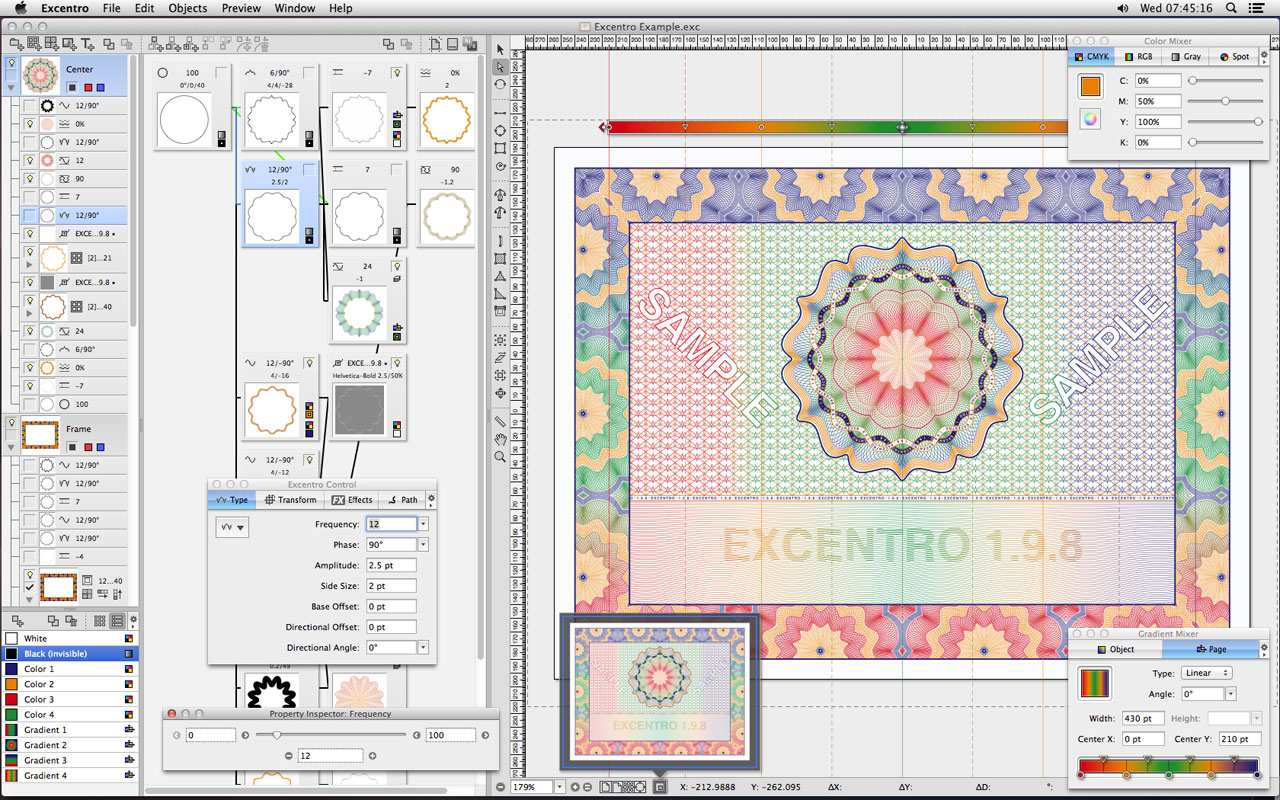
Excentro 1.9.8
- 1.9.7 (April 3, 2013)
- ‘Step & Repeat Sets’ feature and ‘size-center’ attributes were added to objects of ‘Group/Compound Path’ type.
- Internal changes to ‘Group/Compound Path’ and ‘Cut & Tile’ objects processing.
- 1.9.6 (January 22, 2013)
- List of templates and examples was added to ‘New Document’ dialog.
(This replaces old ‘Stationary Pads’ templates, that are not very well supported in recent Mac OS X versions.)
- ‘Document Setup’ dialog now opens as additional panel inside document window and contains new ‘Description’ field for author comments.
- Other minor fixes and interface changes.
- 1.9.5 (November 16, 2012)
- Minor fixes and interface changes.
- 1.9.4 (November 9, 2012)
- Minor interface enhancements.
- Internal changes that add better support for recent Mac OS X versions.
- New minimal system requirements: Mac OS X 10.6 or above.
- 1.9.3 (June 19, 2012)
- Fixes glitches with graphics caching that could cause paths and images to be drawn twice.
- Some other cosmetic improvements and minor fixes.
- 1.9.2 (March 15, 2012)
- Adds ‘new objects stroke weight’ option to ‘New Document’ and ‘Document Setup’ dialogs.
- New preferences options to manage ‘Swatch Palettes’.
- Internal changes to make documents and preferences data saves more reliable (to prevent accidental data loss).
- Some cosmetic improvements and minor fixes.
- 1.9.1 (February 29, 2012)
- Adds better graphics caching and multi-threading support.
- Works faster on multi-core and multi-processor systems.
- More responsive to user actions.
- Changed handling of images (for ‘bas-relief’ effect) to make it less dependent on file formats and somewhat faster.
- Some cosmetic improvements and minor fixes.
- 1.9 (October 19, 2011)
- Adds 64-bit code versions for both Intel and PowerPC based Macs.
- User interface code changes that were required for 64-bit support.
- Floating Toolbars were removed (as it seems to be the current user interface style).
- Other cosmetic user interface changes.
- Some fixes for Mac OS X 10.7 (‘Lion’).
- New minimal system requirements: Mac OS X 10.5 or above.
- 1.8.3 (May 31, 2010)
- 1.8.2 (May 12, 2010)
- Minor fixes (accumulated since January 2009).
- 1.8 (December 24, 2008)
- Some minor feature additions (like gradient colors), interface and stability fixes.
2. Excentro Lite:
Excentro Lite is a simplified version with the features set close to the original Excentro from mid 90's. It does not have Tiles, Frames, Reliefs or Pen tools of full Excentro version, but it has a very affordable price point and is made for the users who need to create designs for occasional jobs or just to do some guilloche experiments.
To download Excentro Lite use the link below:
excentrolite205.dmg (Version 2.0.5, 8.1 MB, Disk Image)
System requirements: Apple Macintosh with OS X 10.9 (‘Mavericks’), OS X 10.10 (‘Yosemite’), OS X 10.11 (‘El Capitan’), macOS 10.12 (‘Sierra’), macOS 10.13 (‘High Sierra’), macOS 10.14 (‘Mojave’), macOS 10.15 (‘Catalina’), macOS 11 (‘Big Sur’), macOS 12 (‘Monterey’), macOS 13 (‘Ventura’) or macOS 14 (‘Sonoma’). Internet connection is required for software activation.
Details: This is Mac OS disk image (DMG) created with Disk Utility application. If you are using non-Macintosh computer to access internet resources, download the file and transfer it to your Mac.
Recent versions changes:
- 2.0.5 (January 8, 2024)
- 2.0.4 (October 18, 2023)
- Some UI fixes that were required for macOS 14 (‘Sonoma’) compatibility
- 2.0.3 (July 22, 2022)
- Minor fixes and enhancements.
- 2.0.2 (January 22, 2022)
- Minor fixes and enhancements.
- 2.0.1 (March 12, 2021)
- Adds native support for ‘Apple Silicon’ Macs
- 2.0 (October 15, 2020)
- ‘Cut & Reflect’ object (one of five ‘Cut & Tile’ types of full Excentro version) was added to Excentro Lite. This feature speeds up tasks like frames creation (and makes working with Excentro Lite more fun)
- Other major internal changes and minor features updates
- Cosmetic interface changes:
- Controls appearance is now more ‘flat’ (to reflect recent UI trends)
- ‘Dark Mode’ is supported under macOS 10.14 (‘Mojave’) and above
- Some fixes that were required for macOS 11 (‘Big Sur’) compatibility
- New minimal system requirements: OS X 10.9 or above
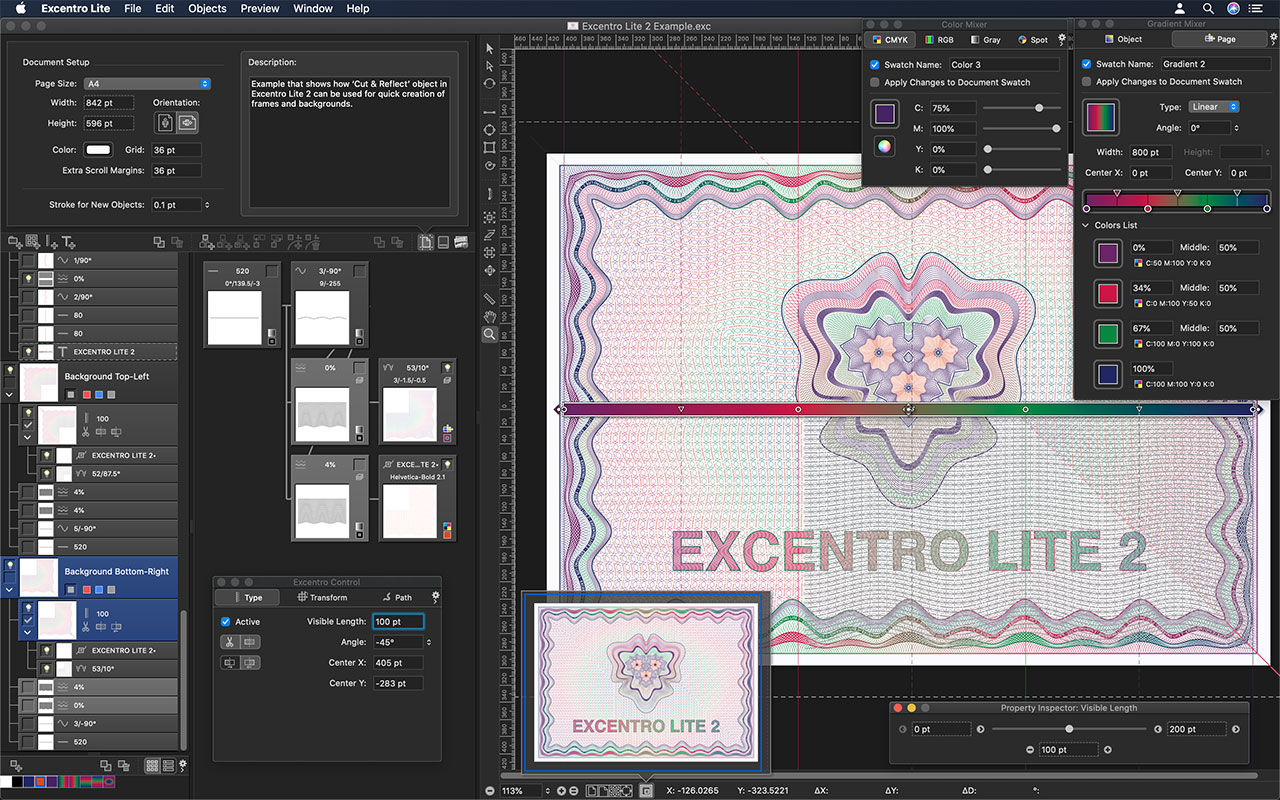
Excentro Lite 2.0
- 1.9.26 (December 10, 2017)
- Addition of ‘Clipping Masks’ and ‘Clipping Stroke Masks’ as a convenience feature.
- 1.9.25 (November 27, 2017)
- Minor fixes and enhancements.
- 1.9.24 (October 6, 2017)
- Stability fixes for macOS 10.13 (‘High Sierra’).
- 1.9.23 (September 1, 2017)
- Minor UI fixes and enhancements.
- 1.9.22 (May 31, 2017)
- Minor UI fixes and enhancements.
- 1.9.21 (April 25, 2017)
- Minor UI fixes and enhancements.
- 1.9.20 (September 30, 2016)
- Minor fixes to the application package and UI for smoother experience under macOS 10.12 (‘Sierra’).
- 1.9.19 (July 26, 2016)
- Minor fixes and enhancements.
- 1.9.18 (July 2, 2015)
- Minor fixes and enhancements.
- 1.9.17 (May 6, 2015)
- Minor fixes and enhancements.
- 1.9.16 (March 18, 2015)
- Minor fixes and enhancements.
- 1.9.15 (November 10, 2014)
- Fixes issue with text rotation.
- 1.9.14 (July 29, 2014)
- 1.9.13 (September 18, 2013)
- Minor UI changes.
- Some fixes for forthcoming OS X 10.9 (‘Mavericks’) release.
- 1.9.11 (July 29, 2013)
- Minor enhancements: ‘Snap to Grid’ option for editing base control points with interactive tools, ‘Coil Growth’ attribute to control radius of ‘Spiral’ bases.
- 1.9.9 (April 17, 2013)
- Stability and performance improvements.
- ‘Text String’ object now has resize handles to change font size with mouse dragging.
- ‘Text on Curve’ object has additional option to choose between Base and Direction paths to define angle for characters rotation.
- 1.9.8 (April 10, 2013)
- Two new objects for basic text handling were added: ‘Text String’ and ‘Text on Curve’. They could be used to add simple text elements to document's design. (Implementation of the feature still needs fine-tuning, no documentation is provided with this version.)
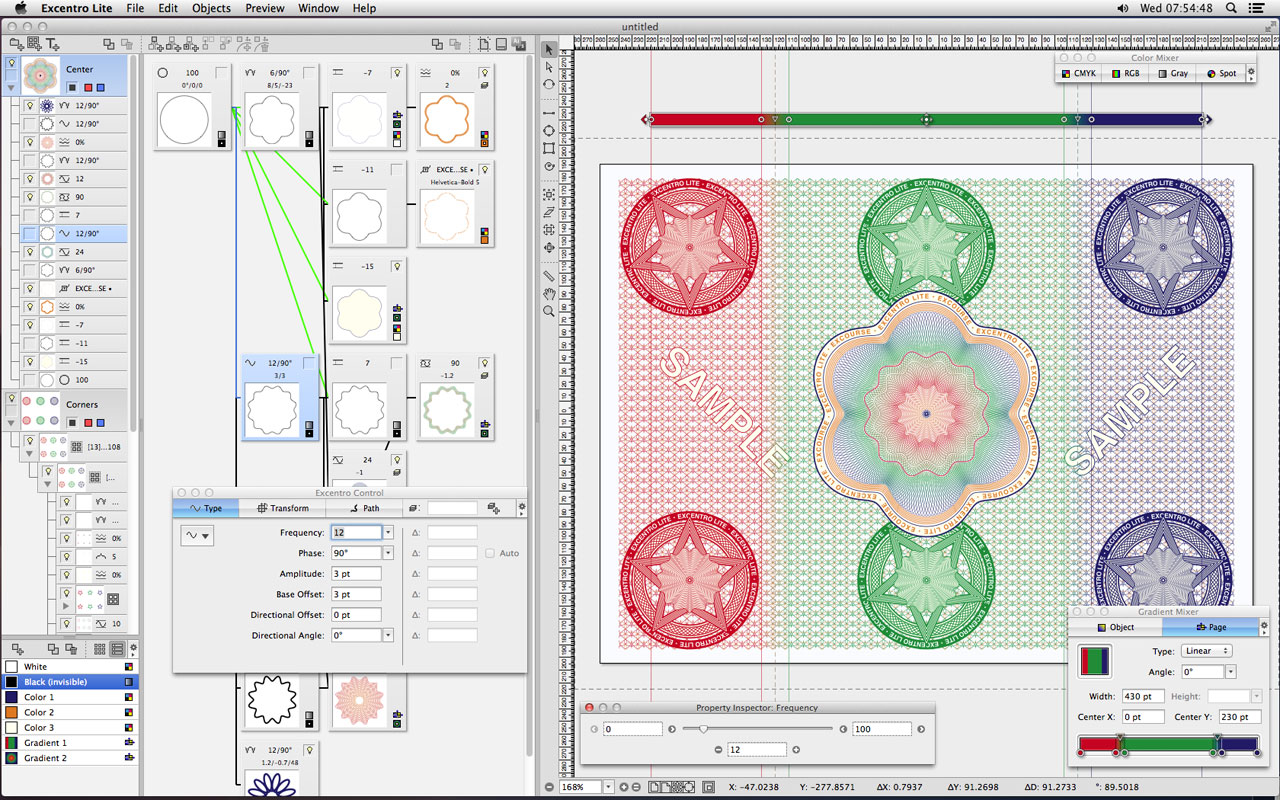
Excentro Lite 1.9.8
- 1.9.7 (April 3, 2013)
- Excentro Lite now can create objects of ‘Group/Compound Path’ type (like full Excentro version). These objects could be used to group, transform, step and repeat paths of selected objects or parts of design.
- 1.9.6 (January 22, 2013)
- List of templates and examples was added to ‘New Document’ dialog.
(This replaces old ‘Stationary Pads’ templates, that are not very well supported in recent Mac OS X versions.)
- ‘Document Setup’ dialog now opens as additional panel inside document window and contains new ‘Description’ field for author comments.
- Other minor fixes and interface changes.
- 1.9.5 (November 16, 2012)
- Minor fixes and interface changes.
- 1.9.4 (November 9, 2012)
- Minor interface enhancements.
- Internal changes that add better support for recent Mac OS X versions.
- New minimal system requirements: Mac OS X 10.6 or above.
- 1.9.3 (June 19, 2012)
- Fixes glitches with graphics caching that could cause paths and images to be drawn twice.
- Some other cosmetic improvements and minor fixes.
- 1.9.2 (March 12, 2012)
- Adds ‘new objects stroke weight’ option to ‘New Document’ and ‘Document Setup’ dialogs.
- New preferences options to manage ‘Swatch Palettes’.
- Internal changes to make documents and preferences data saves more reliable (to prevent accidental data loss).
- Some cosmetic improvements and minor fixes.
- 1.9.1 (February 27, 2012)
- Adds better graphics caching and multi-threading support.
- Works faster on multi-core and multi-processor systems.
- More responsive to user actions.
- Some cosmetic improvements and minor fixes.
- 1.9 (October 14, 2011)
- Adds 64-bit code versions for both Intel and PowerPC based Macs.
- User interface code changes that were required for 64-bit support.
- Floating Toolbars were removed (as it seems to be the current user interface style).
- Other cosmetic user interface changes.
- Some fixes for Mac OS X 10.7 (‘Lion’).
- New minimal system requirements: Mac OS X 10.5 or above.
- 1.8.3 (May 31, 2010)
- 1.8.2 (May 12, 2010)
- Minor fixes (accumulated since January 2009).
- 1.8.1 (January 13, 2009)
- Elliptic Page gradients now behave identical to that of full Excentro version.
- Some interface fixes.
- ‘pnot’ and ‘PICT’ preview resources are no longer saved with the documents (to reduce disk space usage), 256x256 icons are used instead.
- 1.8 (December 19, 2008)
- Some minor feature additions (like gradient colors), interface and stability fixes.
|
| Guides & References |
|
To reduce the file size of updates we separated documentation books and applications. To download full set of Excentro documentation books in PDF format use the links below:
Using Excentro guide (PDF: 22.8 MB)
Place this file in the same folder as Excentro application and you will be able to access it from Help menu of Excentro.
Excentro Windows Reference (PDF: 5 MB)
Excentro Commands Reference (PDF: 4.8 MB)
Excentro Objects Reference (PDF: 24.2 MB)
Color And Gradient Mixers in Excentro 1.8 (PDF: 284 KB)
This is a quick update that covers some differences in Color Mixer inspector behaviour as well as notes on new Gradient Mixer inspector (introduced with Excentro and Excentro Lite version 1.8).
|
| Price & Online Purchase |
|
Excourse uses FastSpring eCommerce service to accept international payments. Use links below to purchase Excentro or Excentro Lite online (with Credit Card, PayPal, Wire Transfer, Purchase Order, etc.):
 Excentro single user license: $500 Excentro single user license: $500
Volume discounts will be applied to purchases of more than one license.
Excentro Lite single user license: $25
Please, do not forget to provide your correct e-mail address. When FastSpring will notify us about your payment we will send you valid serial number by e-mail (allow few hours for this procedure, but on weekends it may take much longer).
By entering serial number in Register dialog displayed at application start up you will turn Demo into licensed version.
Please, do not forget to deactivate Excentro before moving the license to another Mac computer. Use Deactivate command from Help menu to perform deactivation.
|
| Feedback & Questions |
|
We would like to hear feedback on the benefits and shortcomings of our software. Please include your suggestions and comments with information on what hardware and operating system you are using with Excentro.
E-mail: info@excourse.com
Note: We do answer ALL e-mails with questions about Excourse software. If you did not get a reply within 2-3 business days, there is high chance that our reply (or your e-mail) fell a victim to some e-mail filters. Please, repeat your e-mail (if possible, use a different mail server with not so smart anti-spam system).
|
|
|
 |
| Downloads: |
|
| Excentro: |
| Current version: |
| 2.0.5 |
| Release date: |
| January 8, 2024 |
| Excentro (14 MB) |
|
| Excentro Lite: |
| Current version: |
| 2.0.5 |
| Release date: |
| January 8, 2024 |
| Excentro Lite (8.1 MB) |
|
| Online prices: |
| Excentro: $500 |
| Excentro Lite: $25 |
|
| Purchase online |
|
|