|



|
|

|
|||||||||


| Version 3.6.7 • November 23, 2023 |
| About PressPerCent | |
|
PressPerCent project started around 25 years ago as a simple ink key pre-setting software tool — a popular subject at the time when printing press manufacturers and printers were searching for less expensive, space-saving solutions to replace hardware plate scanners. Since then PressPerCent evolved to include more features that customers required such as support for the job format of dozens press types and models, total ink area calculations, spot color preview, automatic job processing and flexible press configurations. Made for the graphic arts industry standard Apple Macintosh computers, PressPerCent is fast to adapt to changes in new Mac operating system versions. At the same time it tries to support older Macintosh hardware and OS versions as long as possible. The current version of the application works with OS X 10.9 (‘Mavericks’), OS X 10.10 (‘Yosemite’), OS X 10.11 (‘El Capitan’), macOS 10.12 (‘Sierra’), macOS 10.13 (‘High Sierra’), macOS 10.14 (‘Mojave’), macOS 10.15 (‘Catalina’), macOS 11 (‘Big Sur’), macOS 12 (‘Monterey’), macOS 13 (‘Ventura’) or macOS 14 (‘Sonoma’) system versions.
|
|
| PressPerCent Features | |
|
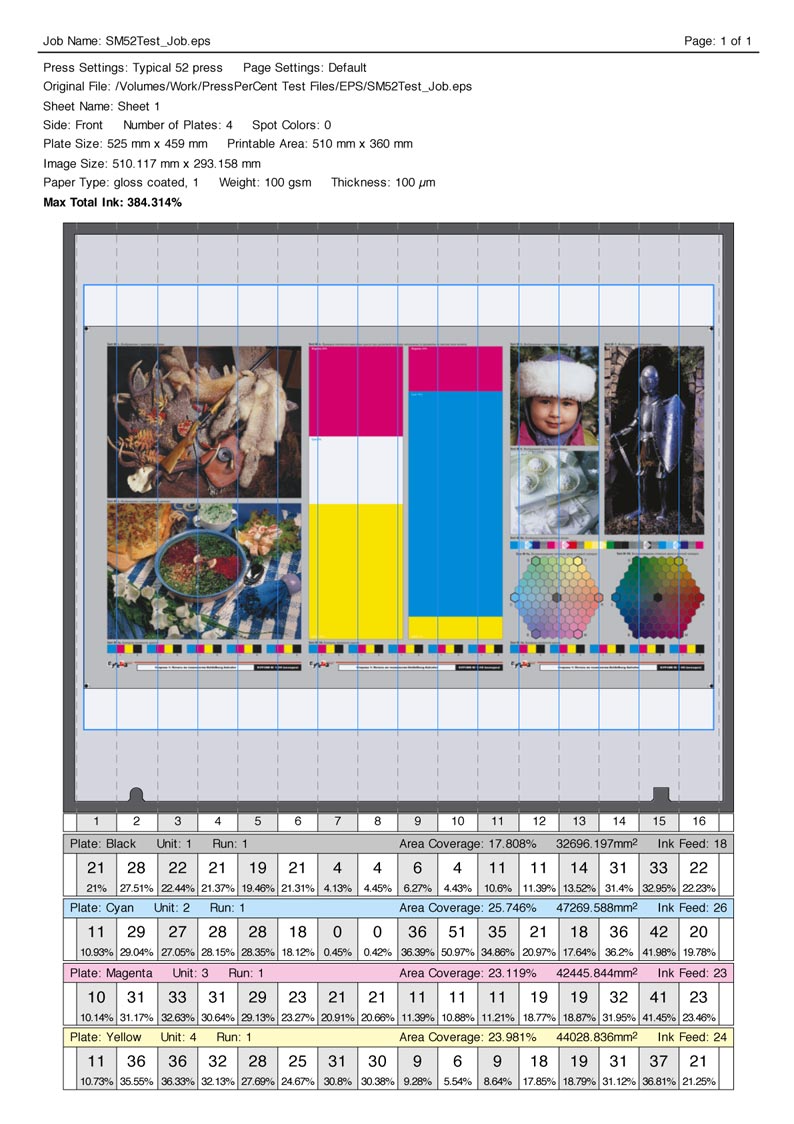
1. Ink key pre-setting PressPerCent calculates area covered by the image on the plate for each ink zone of the printing press. The result is adjusted with user defined calibration curves for specific press models or ink/paper combinations and could be used as ink zone (ink duct) settings for the press. These settings could be displayed on screen, printed out on paper or exported to variety of file formats. Press operators can use the settings to preset ink keys on the press console when the job changes. This can improve make-ready times and reduce paper and ink waste. The accuracy of pre-settings depends on press conditions and the zone curve's calibration quality.
2. Area coverage calculation PressPerCent calculates not only individual zone coverage, but also the coverage for the entire area of the plate. Knowing this value helps estimate the amount of ink required to print the job. This feature would also be beneficial to packaging printers with flexographic equipment (to calculate amount of Pantone inks for the job) or even to digital printers (to quote the price based on a toner consumption). If you only need to know the area coverage for a job without ink zone information just toggle the check boxes in PressPerCent preferences to switch off the zone calculation and display.
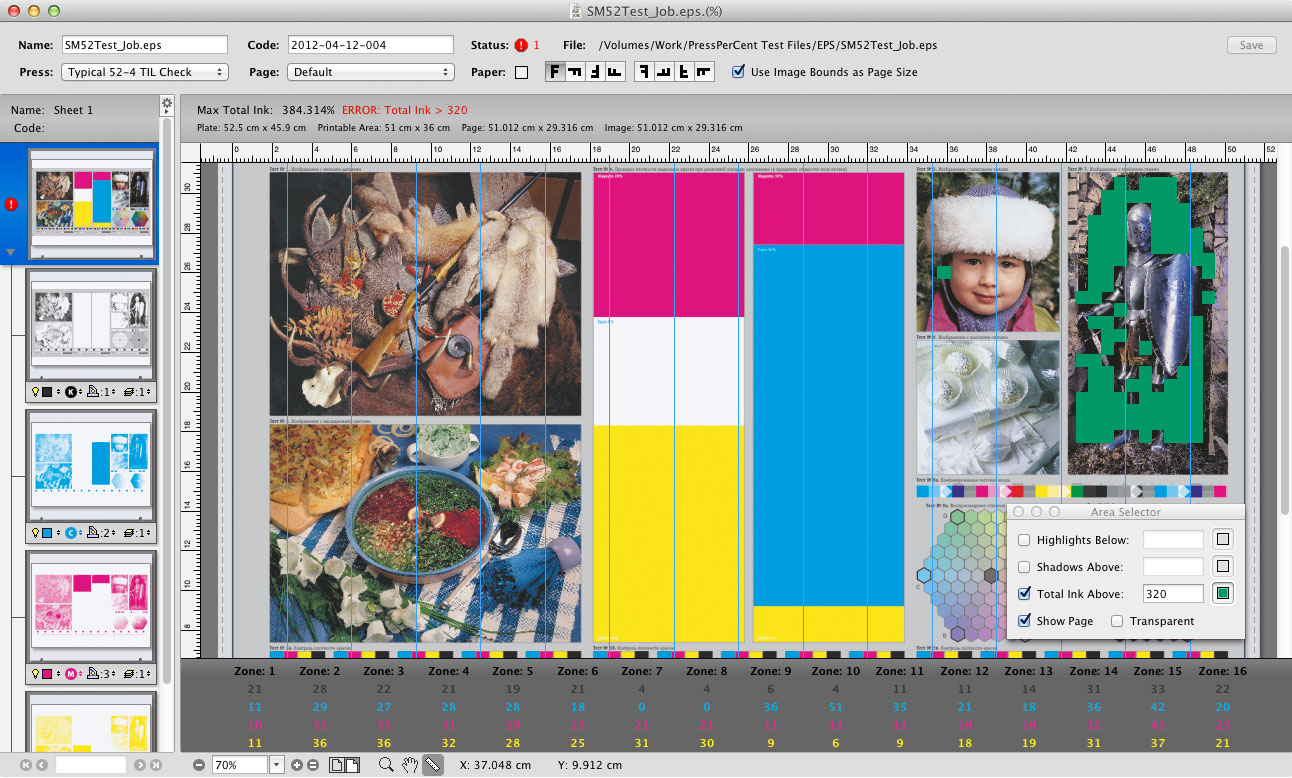
3. Maximum total ink check Even if it is too late to re-separate photos or change vector graphics of the job when the plates are ready, the printer should pay attention to the maximum Total Ink warnings and take steps to avoid the problems: reducing the speed of the printing press, choosing different paper stocks or asking for another set of plates. PressPerCent calculates maximum total ink value for each sheet of the job and shows the problematic areas based on user defined size settings (to ignore control bars and registration marks that may exceed maximum total ink without negative effects).
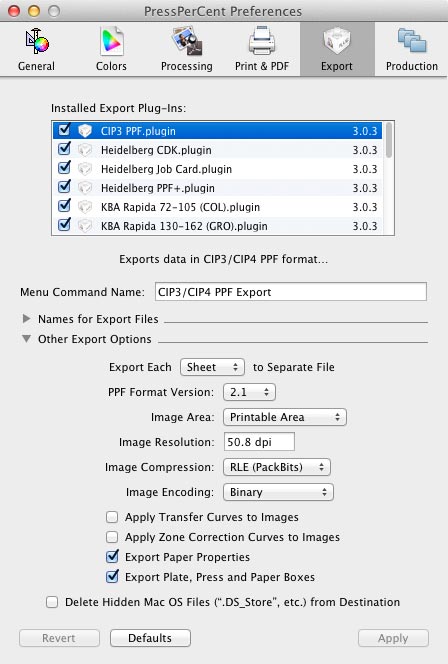
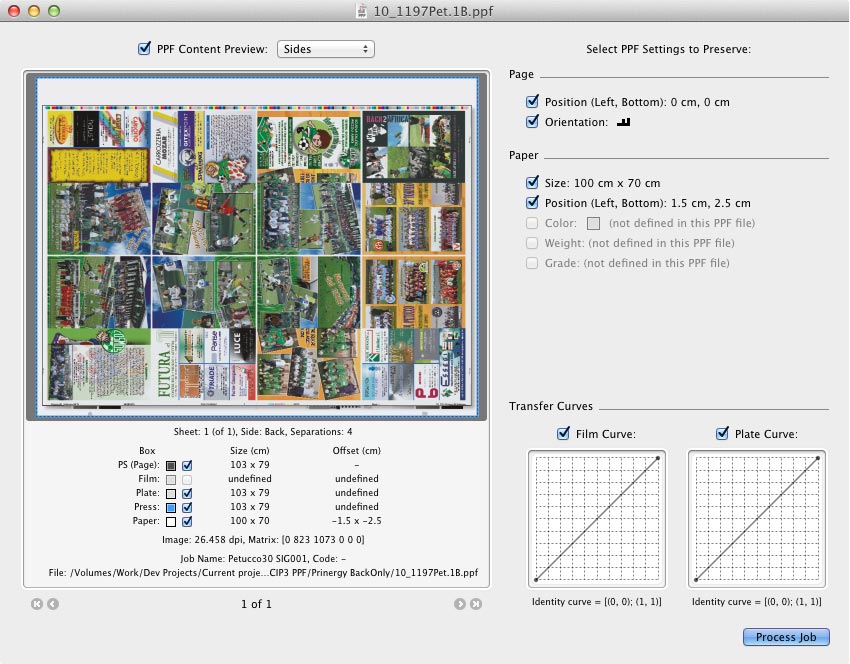
4. Export plug-ins Almost every printing press made since the early 90's can either save printed job settings to a file (on network or removable media i.e. floppy disks) or load image area information from files prepared by plate scanners. Proprietary job file formats can be quite different for each press manufacturer, press model or even press console version. Some presses use plain text files that are easily readable and understood by people. Others use binary data that requires more efforts to interpret it. Few press consoles may even show the press operator a preview images of the job prepared by the pre-setting software. This helps to identify and load jobs more quickly. Despite these differences, all press file formats convey the same common information: ink keys and ink feed (ink sweep) settings for each unit of the press or ink zone area calculations performed by a plate scanner. PressPerCent uses this similarity of press file formats and supports different press models via the export plug-ins mechanism. The export plug-ins are small modules that save common information prepared by PressPerCent in a specific file format understood by this or that press console. This approach extends support for various presses without constantly modifying the application for each press or overloading it with code and features other users will not need. Just add to the application the plug-in for your press from optional plug-ins set. If you cannot find your press in the plug-ins set or you need a different plug-in version, please contact us and we will try to create a new plug-in for you. 5. Incoming job formats support PressPerCent supports the following file formats for incoming jobs: PostScript, PDF, TIFF and PPF. If a job arrives as a PostScript file it will be converted to PDF with a built-in Mac OS X normalizer (or with Adobe Acrobat Distiller if Adobe Acrobat package is installed). TIFF files could be either 1-bit or 8-bit (low resolution previews) made by the RIP. For PostScript and PDF jobs with spot colors we suggest that you use pre-separated files to avoid possible problems with color separation. However, the best choice of incoming job file format for PressPerCent is CIP3/CIP4 PPF (Print Production Format). 6. CIP3/CIP4 Print Production Format (PPF) The new JDF/JMF formats for "seamless integration of CRM, MIS, prepress, press and postpress" being developed by CIP4 consortium looks promising for the future of the industry. The older PPF format well defined back in 90's already delivers certain benefits today. Unlike JDF, the PPF format does not require sophisticated workflow software to be produced or interpreted. The PPF format is more simple and ‘hardware independent’ than JDF. The PPF file created by the prepress system does not contain actual ink key settings or press unit specific information (as JDF may have). It has only a low resolution image of the plate that will be processed into ink keys by some pre-setting tool or advanced press console. Due to the simplicity and fewer steps required to implement, the support for the PPF format was included into the products by almost every prepress RIP vendor and many printing press manufacturers. PressPerCent can work with the PPF format in every way. It can import a PPF file made by your RIP or workflow, display the job on screen and calculate ink key settings for your press. It can also export a PPF file from a PDF or TIFF file of the job. You can send this PPF file to a different software tool that calculates ink key settings for your press or directly to the press console, if it supports that format.
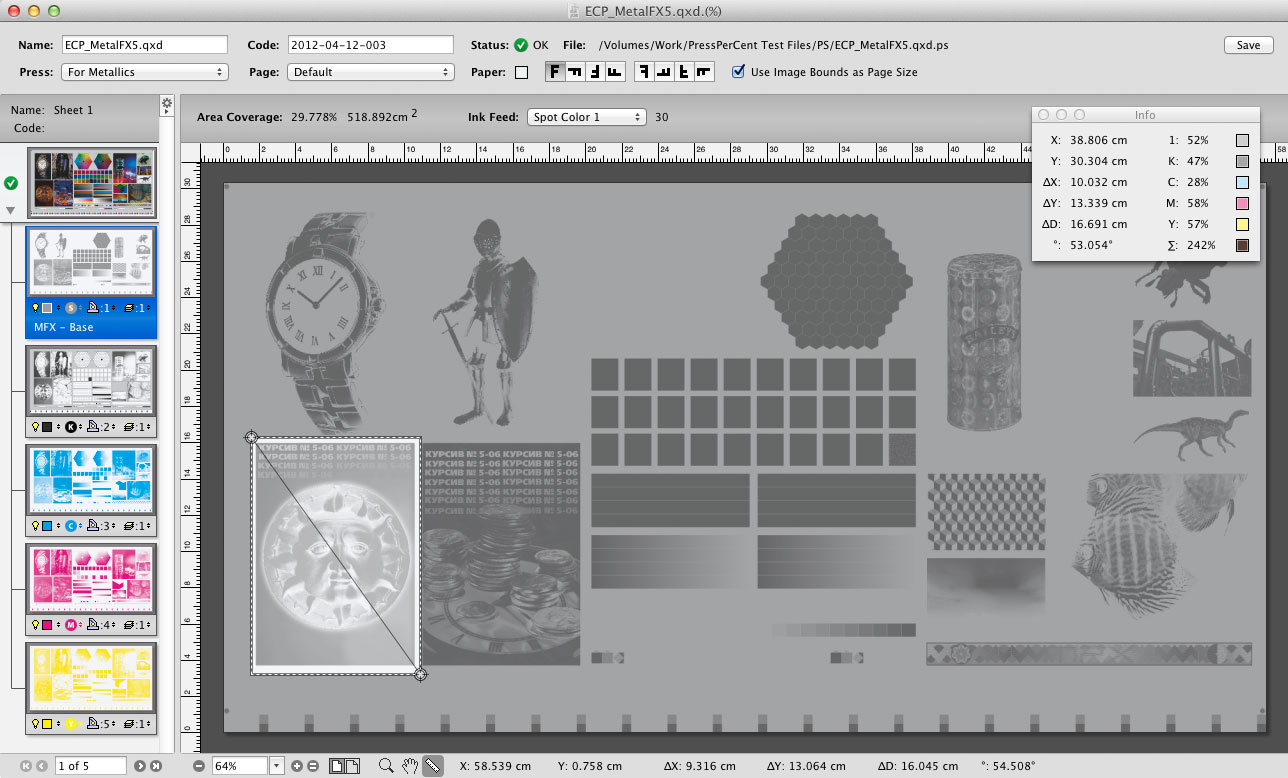
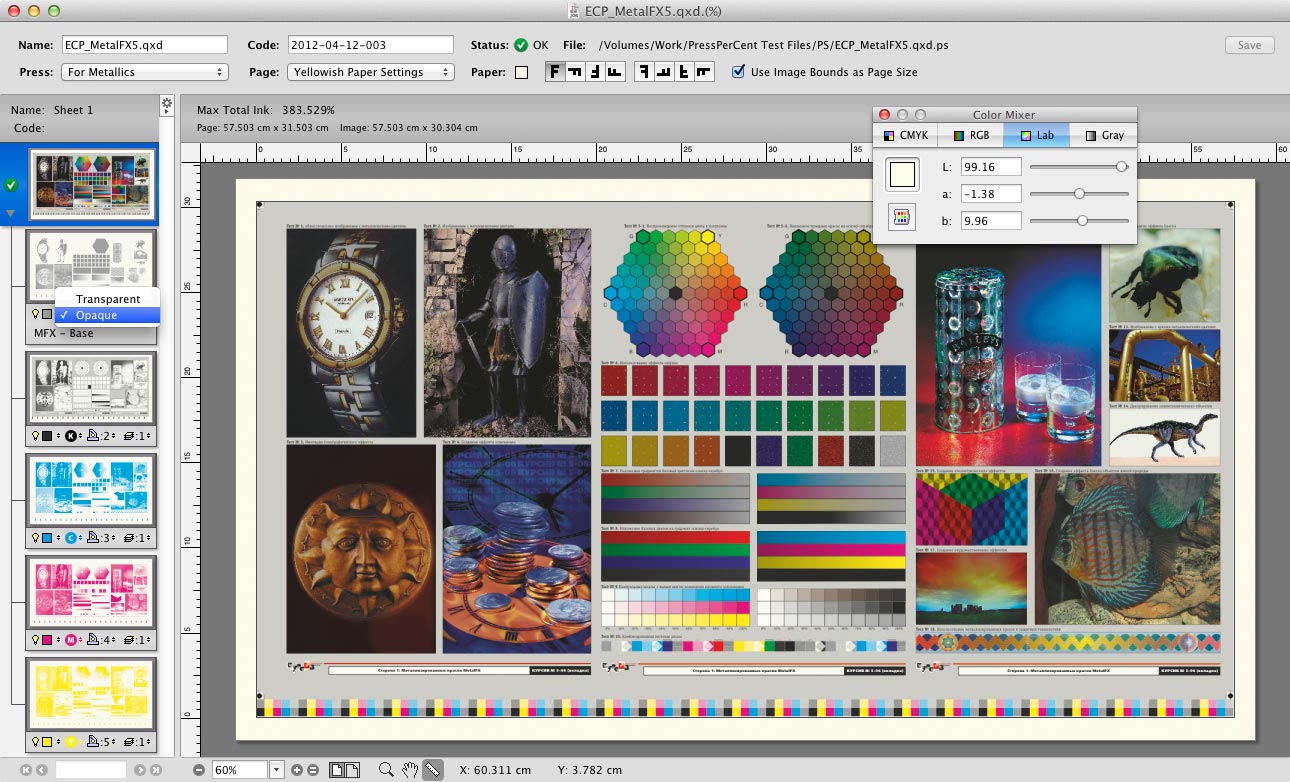
7. Spot and paper color preview It is always a demanding task to predict the exact results of printing with spot colors, especially with tricky inks like varnish or metallics where the order of printing units may have severe effects on the final output. Printing on colored, tinted or metallic paper presents a similar problem. In PressPerCent a user can define the order of inks and their units assignment, specify if the ink is transparent or opaque and choose the paper color. If the job is printed in several runs (on a two color press, for example) the output of each run could be previewed or printed.
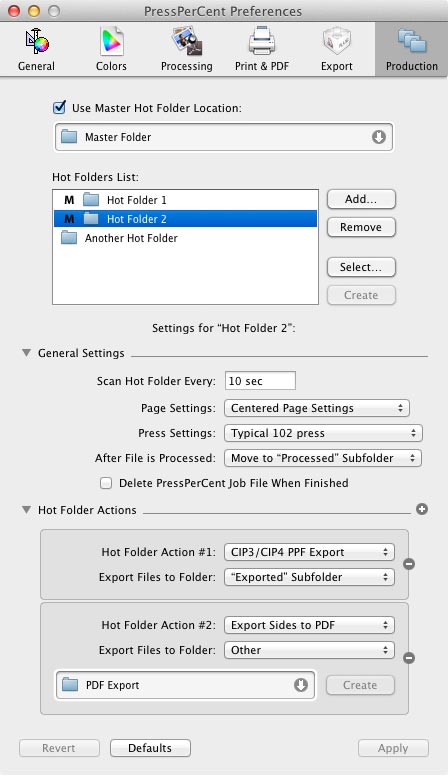
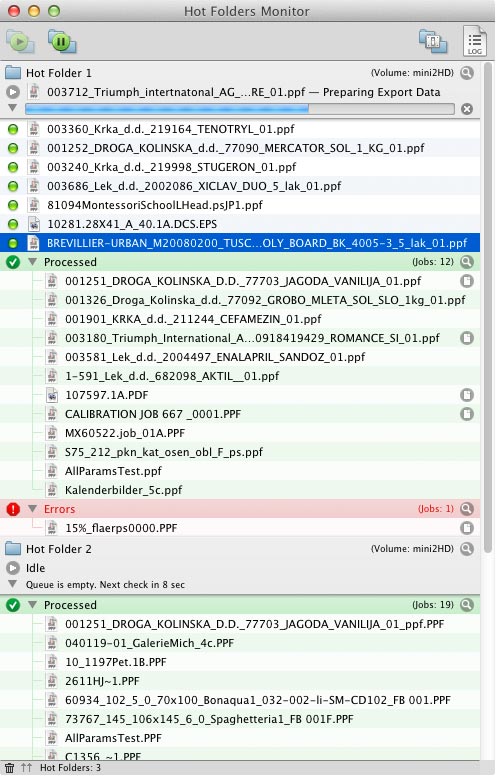
8. Hot folders automation Every production site has its own workflow that is based either on a sophisticated prepress software system or just on a single, stand-alone RIP that completes the job from processing incoming PDF or PostScript impositions to controlling plate production on a CtP device. Whichever you use, if the workflow supports the automatic export of TIFF or PPF files to a folder on the network file server PressPerCent could be integrated onto it. PressPerCent can periodically scan the user defined "Hot Folder", process incoming files and export the ink presets into another folder for the next step of your workflow. Any number of hot folders with different press and job options can be set up.
You can find more details about PressPerCent in PDF-version of the User Guide. |
|
| Download PressPerCent | |
|
To download PressPerCent use the link below:
|
|
| Price & Online Purchase | |
|
Excourse uses FastSpring eCommerce service to accept international payments. Use link below to purchase PressPerCent online (with Credit Card, PayPal, Wire Transfer, Purchase Order, etc.):
Please, do not forget to provide your correct e-mail address. When FastSpring will notify us about your payment we will send you valid serial number by e-mail (allow few hours for this procedure, but on weekends it may take much longer). By entering serial number in Activation dialog displayed at application start up you will turn Demo into full licensed activated copy. Please, do not forget to deactivate PressPerCent before moving the license to another Mac computer. Use Deactivate command from Help menu to perform deactivation. |
|
| Upgrades & Renewals | |
|
In May 2011, after more than 10 years of selling PressPerCent licenses online, we decided to introduce some means that will allow us to estimate number of active PressPerCent users we actually have. For this purpose we introduced ‘upgrade terms’ for users who purchased PressPerCent license many years ago and would like to upgrade to the latest version. It should also help us to collect some funds for future PressPerCent development: 1. Those users who purchased PressPerCent license less than 5 years ago get all version updates and upgrades for free (without any additional fee). Note: This is not any kind of ‘subscription’ and it does not mean that your existing PressPerCent license becomes ‘invalid’ after 5 years of usage. You can use it as long as you like for as many years as needed. It just limits the ability to receive free upgrades to current modern versions to 5 years since purchase (or previous renewal) date. |
|
| Feedback & Questions | |
|
We would like to hear feedback on the benefits and shortcomings of our software. Please include your suggestions and comments with information on what hardware and operating system you are using with PressPerCent. E-mail: info@excourse.com Note: We do answer ALL e-mails with questions about Excourse software. If you did not get a reply within 2-3 business days, there is high chance that our reply (or your e-mail) fell a victim to some e-mail filters. Please, repeat your e-mail (if possible, use a different mail server with not so smart anti-spam system). |





 |
| Current version: |
| 3.6.7 |
| Release date: |
| November 23, 2023 |
| Download: |
| PressPerCent (12.9 MB) |
| Online price: |
| $250 |
| Purchase online |
 |
 |

© 1998-2024 Excourse Advertising OÜ |